Fake QR Code Payment Scams at Restaurants and Parking Meters: How to Verify Before Paying
Fake QR code scams are appearing on restaurant tables, parking meters, kiosks, and public payment points. Learn how criminals replace legitimate QR codes, how to verify payment links safely, and the warning signs that can help you avoid losing money.

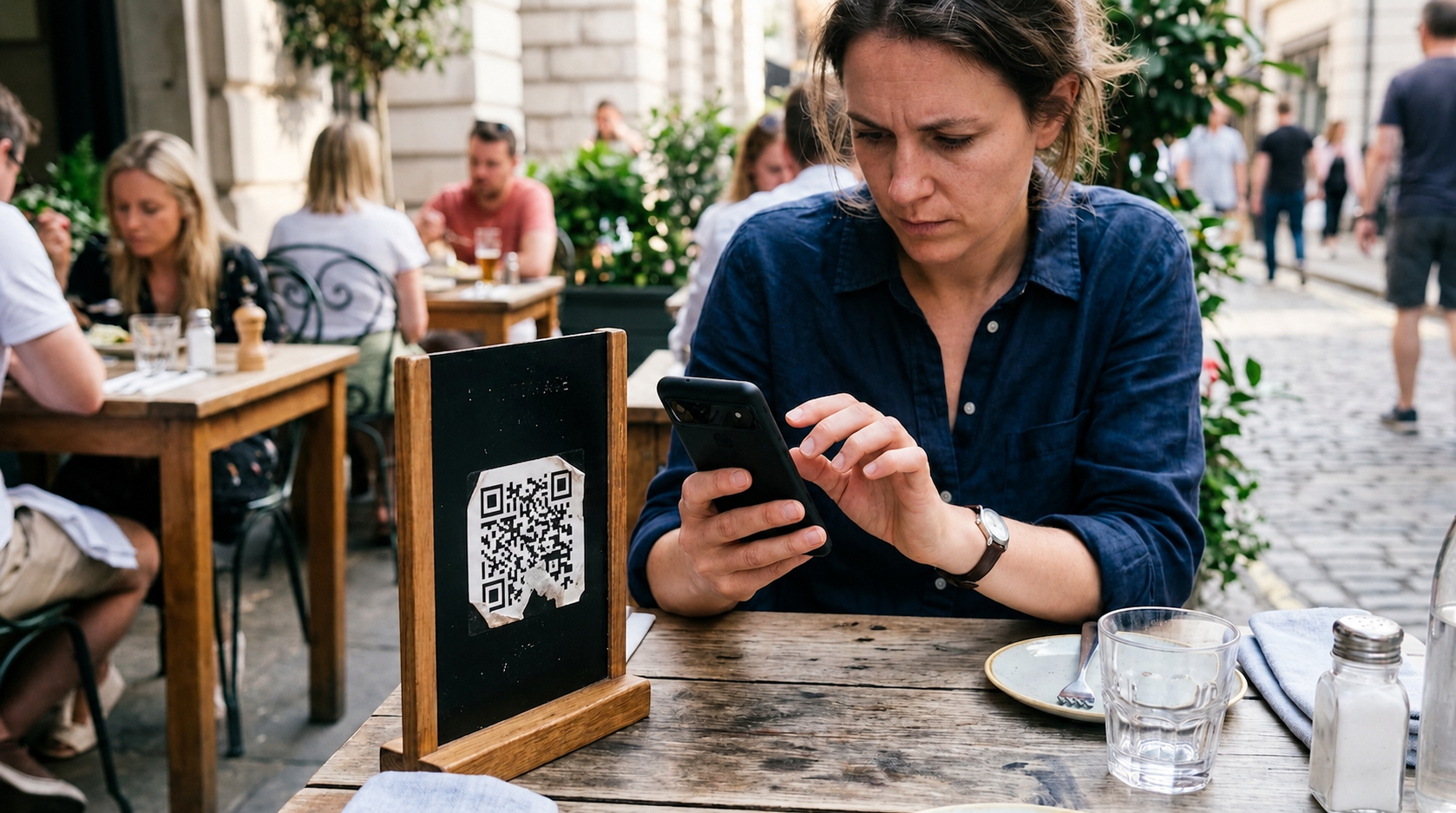
Fake QR codes at restaurants and parking meters are not “high-tech scams.” They are low-effort stickers weaponized against people who are hungry, rushed, and socially pressured to be agreeable.
You are not dumb if you fell for it. You are human. The scam is built around human behavior, not hacking.
This investigation shows you exactly how the scam works, how to verify a QR code before you pay, what to do if you already paid, and what your bank or card issuer will realistically do about it.
The scam in one sentence (so nobody wastes your time)
A scammer places a sticker QR code over a real payment QR code, you scan it, and you pay the scammer through a lookalike checkout page or a real payment rail that routes money to a criminal.
No malware required. No genius required. Just tape, ink, and your momentary trust.
Where this shows up most (and why it works there)
Restaurants
- “Scan to view menu”
- “Scan to pay at table”
- “Scan for tips”
- “Scan for loyalty discount”
- “Scan for WiFi”
You are sitting down, you want to be polite, and you want the bill gone. The scam lives in that gap between social pressure and payment friction.
Parking meters and pay stations
- “Scan to pay”
- “Scan to extend time”
- “No cash accepted”
- “Pay by phone, scan here”
You are outside. You are rushing. You are already annoyed. Perfect.
Also common
- EV chargers
- tourist kiosks
- vending machines
- donation posters
- “city fine payment” stickers on poles (yes, really)
If a QR code touches money, someone will eventually try to make it touch their money.
What is actually happening behind the QR code (the part people misunderstand)
A QR code is not a magical secure object. It is just a fancy barcode that holds data, usually:
- a URL (website link)
- a payment address (crypto, bank transfer ID)
- a deep link (opens an app)
- plain text
The QR code does not verify identity. It does not know whether it is “official.” It does not know whether it is “the restaurant.” It has no morals. It has squares.
So the attack is simple:
- Replace the QR code you trust.
- Let your phone do the rest.
The two main fake QR code payment patterns
Pattern A: The lookalike payment page
You scan, it opens a web page that looks like a restaurant payment portal or a parking payment portal.
Then it does one of these:
- takes your card details and runs card-not-present charges later
- takes your card details and runs an immediate “test” charge
- pushes you into Apple Pay / Google Pay checkout to a merchant account controlled by the scammer
- asks you to “confirm” personal data: name, email, phone, address
- adds “verification” steps that are actually harvesting info
Red flag: A random web checkout appears when you expected an app you already use.
Pattern B: A real payment rail, wrong destination
This is the nastier version because it can look legitimate.
The QR code routes you to:
- a legitimate payment processor link, but the payee is the scammer
- a bank transfer page, but the account is the scammer
- a peer-to-peer payment link (jurisdiction dependent), but the recipient is the scammer
- a crypto wallet QR, because criminals love irreversible payment rails the way mosquitoes love ankles
Red flag: The payment process feels “normal,” but the payee identity is wrong or missing.
Why smart people still fall for this (manipulation tactics)
Scammers do not beat your security. They beat your attention.
1) Time pressure
Parking meters are basically anxiety machines with numbers. “Pay now or get fined” is a scammer’s dream.
2) Social pressure
In restaurants, nobody wants to be the person interrogating the QR code like it is on trial. That is exactly why you should.
3) Authority coating
“City parking.” “Official payment.” “Secure portal.” “Powered by [processor name].” Cute words. Zero meaning.
4) Friction masking
QR codes are sold as “convenient.” Convenience is just friction removed. Fraud loves reduced friction.
Quick answer
How do I verify a QR code before paying at a restaurant or parking meter?
To verify a QR code before paying, do not scan blindly. Check for sticker overlays, open the link preview first, confirm the official domain or app, verify the payee name in the checkout screen, and if anything feels off, use a known official method (restaurant card terminal, official parking app, or manually type the website from signage). Never enter card details on a QR-linked page unless you confirm the domain and payee identity.
The “Do Not Get Robbed” verification checklist (30 seconds, tops)
You want something operational. Here it is.
Step 1: Physically inspect the QR code like a suspicious adult
- Is it a sticker on top of another sticker?
- Are edges peeling or bubbling?
- Is there a second QR code visible beneath?
- Is the QR code crooked or unusually glossy?
- Does the signage look homemade compared to the meter or table plaque?
If it looks layered, it is layered. Leave.
Step 2: Use link preview, not instant open
Most phones let you preview the URL before opening. Use it.
You are looking for:
- weird domains (typos, extra words, random country domains)
- URL shorteners (bit.ly and friends)
- long tracking strings that hide the real domain
- “secure-payments” nonsense with no recognizable official brand
If you cannot see the domain clearly, do not proceed.
Step 3: Confirm the domain matches the real organization, not vibes
Restaurants:
- the domain should match the actual restaurant group or known payment provider used by that restaurant
- if it is a third-party platform, the staff should be able to name it without guessing
Parking:
- official municipal parking systems usually have consistent branding and an official city or contracted operator domain
- many cities use official apps. Use those directly from your app store history, not from a QR sticker
Rule: If the domain looks like it was generated by a bored teenager, it was generated by a bored criminal.
Step 4: Verify the payee name inside the payment screen
This is where people fail because they rush.
Before paying, look for:
- merchant name (not blank)
- location identifier
- receipt email content
- payment descriptor preview
If it says something like:
- “PAYMENT” with no merchant identity
- a random person name
- a weird unrelated company name
- a misspelled brand
Stop. Take a photo. Switch to another payment method.
Step 5: Use a known-good fallback method
Restaurants:
- ask for the card terminal
- pay at the register
- use chip and PIN where available (UK, AU, NZ, often CA)
- if in the US, use tap or chip, not manual card entry on a random web page
Parking:
- use the official app you already have installed
- type the official site manually from the meter’s printed operator name
- pay by card on the machine if available
- if the meter only allows QR and it looks suspicious, park elsewhere or call the operator number printed on the meter
Yes, that is annoying. Fraud is also annoying. Pick your annoying.
Decision tree: Should I scan this QR code or not?
- Is it a sticker that looks like it was added later?
- Yes → Do not scan. Use official app or alternative payment.
- No → Continue.
- Does link preview show a shortener or weird domain?
- Yes → Do not scan.
- No → Continue.
- Does the page force you to enter card details directly?
- Yes → Stop unless you can confirm the domain is official and the payment provider is legitimate.
- No → Continue.
- Does checkout clearly show merchant name matching the venue/operator?
- No → Do not pay.
- Yes → Proceed, but screenshot the confirmation.
“But it opened Apple Pay, so it must be safe” (no)
Apple Pay and Google Pay can reduce some card data exposure, but they do not magically guarantee the recipient is legitimate.
You can still be paying the wrong merchant. You can still be authorizing a real payment to a criminal-controlled account.
Payment security is not the same as payee authenticity.
Restaurants: the four most common fake QR plays (and how to counter them)
1) “Scan to pay” at the table
Counter:
- ask for the terminal
- verify merchant name on the payment screen
- cross-check with the restaurant’s official website or staff
2) “Scan for a discount”
Counter:
- discounts do not require payment details
- if it asks for card info, it is not a discount, it is a harvest
3) “Scan to tip”
Counter:
- tip portals should show the restaurant name clearly
- do not tip through a page that looks like it was built in 20 minutes
4) “Scan for menu” that ends up as “order now”
Counter:
- menu QR should not redirect you to a payment screen unless it is a known ordering platform used by that restaurant
- if you expected a menu and got a checkout, treat it as suspicious by default
Parking meters: what makes them fraud magnets
Parking payment is the perfect behavioral trap:
- you are outside
- you are stressed
- you fear penalties
- you do not have time to investigate
- you will probably never see that meter again
And yes, scammers know that.
Parking-specific verification moves
- check the meter number and zone number on the machine. Does the payment page ask for it? Does it match the label on the meter?
- use the official parking app by searching it in your app store yourself, not via QR
- search the operator name printed on the meter (not on the sticker)
- take a photo of the meter and the sticker before paying, especially if something feels off
If a sticker tries to “help” you pay, it is not helping. It is hunting.
If you already scanned and paid: what to do in the first 15 minutes
You want speed, documentation, and clean reporting. Not panic.
1) Screenshot everything
- the QR code (photo of sticker/sign)
- the URL shown in preview
- payment page
- confirmation page
- emails or SMS receipts
- Apple Pay / Google Pay transaction detail screen
- any merchant descriptors or reference numbers
2) Identify the payment rail immediately
This determines what recovery options exist.
Was it:
- card payment (credit or debit)
- Apple Pay / Google Pay
- bank transfer
- peer-to-peer transfer service (varies by country)
- crypto
3) Contact your bank or card issuer and use the right language
Say:
- “I was tricked into paying through a fraudulent QR code placed over a legitimate payment code.”
- “The merchant identity was misrepresented.”
- “This is a scam at the point of payment.”
Do not say:
- “I authorized it and now I regret it.”
That framing hands them an excuse.
4) If you entered card details, treat it as compromised
- freeze or lock the card in your banking app
- request a replacement card
- watch for card-not-present charges
- change passwords on your email if you reused them anywhere (because people do that, and criminals count on it)
5) Report it to the venue/operator
Restaurant:
- manager on duty, plus an email to corporate if it is a chain
- ask them to preserve CCTV footage for the timeframe around the table/meter area
Parking:
- operator number printed on the meter
- city parking authority if applicable
- ask them to check other meters for sticker overlays
You are not being dramatic. You are limiting casualties.
Realistic recovery expectations (no fairy tales)
If you want guaranteed recovery, buy a novel. Reality is messier.
For broader context on how mobile payment scams evolve (and why “convenience” is a fraud accelerant), read: Mobile Payment Scam Trends 2026: Loss Prevention Tips
Card payments (credit cards, many debit cards)
- In the United States, dispute options can exist under card network rules and consumer protections, but outcomes depend on facts, timing, and issuer handling.
- In the United Kingdom, Section 75 can apply in specific circumstances for credit card purchases over certain thresholds, but it is not a universal fix and may not apply if the payment was not directly to the supplier you thought it was.
- In Canada, Australia, and New Zealand, consumer protections and dispute processes exist, but your bank’s cooperation and the evidence trail matter.
Translation: you might get your money back, but you need clean documentation and fast reporting.
If you need the “what banks must refund” reality map (by situation, not wishful thinking), read: When Must Banks Refund Scam Transfers? Victim Rights 2026
Bank transfers and many instant transfer rails
These can be harder to reverse, especially after funds move. Sometimes banks can attempt a recall. Sometimes the receiving bank freezes funds if caught early. Sometimes the money is already gone.
Translation: speed matters more than your feelings. Report fast.
If this scam pushed you into a transfer rail (or you are unsure what to do next), use this incident playbook: Recover Money From Bank Transfer Scams (2026 Guide)
Crypto
If you sent crypto, it is typically irreversible. The best outcome is tracking and law enforcement interest, not magical refunds.
Translation: crypto is a fraud highway. Do not pay “fees” to “recover it.” That is Scam Number Two.
Evidence you should collect (because banks love excuses)
You are building a clean file so nobody can pretend this is “unclear.”
Collect:
- photos of the QR code in place (multiple angles)
- close-up showing sticker layering
- the exact URL
- transaction ID and merchant descriptor
- timestamp and location
- receipt from restaurant or parking session record
- witness statement if someone was with you
- any staff confirmation that the QR code was not official
Banks move faster when the story is simple and documented.
Institutional reality: what banks and platforms will do (and what they will not)
They will:
- open a case
- ask for evidence
- investigate through their standard process
- sometimes issue provisional credit (jurisdiction and issuer dependent)
They will not:
- admit fault quickly
- move at your emotional pace
- treat “but it looked real” as proof
- chase cross-border mule networks like they are in an action movie
This is not because you are unimportant. It is because the system is optimized for volume, not justice.
Script: what to say when disputing a fake QR payment
Script: what to say when disputing a fake QR payment
Use this. Calm voice. Precise facts.
“I attempted to pay at a restaurant/parking meter using a QR code displayed on site. The QR code was fraudulent and appears to have been placed over the legitimate code. I was redirected to a misrepresented payment destination and paid the scammer. I have photos of the QR code, screenshots of the URL and checkout, and transaction details. I am reporting this immediately and requesting a fraud investigation and chargeback or recall options based on misrepresentation at the point of payment.”
If they push back with “you authorized it,” say:
“I authorized a payment based on a deceptive point-of-sale setup. The payee identity was misrepresented and the QR code was not legitimate.”
You are not begging. You are documenting a fraud mechanism.
Prevention upgrades that actually help (without turning you into a paranoid hermit)
Use card tap or chip when possible
Physical card-present transactions can reduce some fraud pathways compared to typing card details into random web pages.
Use official apps installed from the app store
For parking, this is usually the best move. If you must use an app, get it from the store yourself, not from a sticker that could have been printed by a criminal with a home printer and too much confidence.
Keep a “payment suspicion reflex”
If the QR code tries to:
- rush you
- hide the payee name
- make the domain unclear
- push a weird “verification”
- ask for too much data
Stop. Switch methods.
Cold truth to end this properly
QR code payment scams are not going away because they are cheap, scalable, and built on one reliable resource: people being nice, rushed, and trusting.
So be less nice to suspicious squares.
You can still be kind to staff. You can still be polite to other customers. You just need to be rude to the scam logic.
Because the scammer is counting on you behaving like everything in public is automatically legitimate.
It is not.
FAQ: Fake QR code payment scams (restaurants + parking)
How do I check if a QR code is fake before paying?
Look for sticker overlays, preview the URL before opening, and confirm the domain and merchant/payee name inside the checkout screen. If anything is unclear, use the card terminal (restaurant) or the official parking app you installed yourself (parking meters).
Is it safe if it opens Apple Pay or Google Pay?
Safer than typing card details into a sketchy web form, but not automatically safe. You can still be paying the wrong merchant. Always verify the payee name before you authorize.
What is the biggest red flag on a restaurant payment QR?
A QR code that opens a random browser checkout and asks you to manually enter card details, especially if the domain does not clearly match the restaurant or a known ordering/payment provider.
What is the biggest red flag on a parking meter QR?
A sticker that looks added later, or a URL that is a misspelling of a known parking brand/operator. Parking scammers love “one-letter-off” domains because people do not preview links.
I paid already. What do I do first?
Screenshot everything, lock the card if you entered details, then contact your bank/card issuer and describe it as a fraudulent QR code placed over a legitimate payment code with misrepresented payee identity.
Can I get my money back?
Sometimes. Card disputes have clearer pathways than bank transfers. Outcomes depend on timing, the payment rail, documentation, and issuer cooperation. Use the internal guides linked in the recovery section for the reality map.
DISCLAIMER
This is educational information, not a promise of results. It isn’t legal advice, it isn’t financial advice, and it does not guarantee you’ll recover any money. Outcomes vary based on timing, documentation, the payment method/rail involved, your bank or card issuer’s process, and local laws and procedures. If you need legal advice, speak with a qualified professional in your country—not a comment section, not a “fraud coach,” and not anyone selling certainty online.
Yes, you can keep scanning mystery stickers in public and hoping the universe rewards your optimism. Or you can do the 30-second checklist above and keep your money where it belongs: not in a scammer’s weekend fund.