Unsolicited QR Codes in the Mail: How Physical Mailers and Formjacking Steal Your Credit Card Details
Unsolicited QR codes in packages, letters, and delivery notices can lead to fake payment pages, credential theft, and malware. Learn how QR code mail scams work, how formjacking steals credit card details, the warning signs to watch for, and what to do if you scanned a suspicious code.

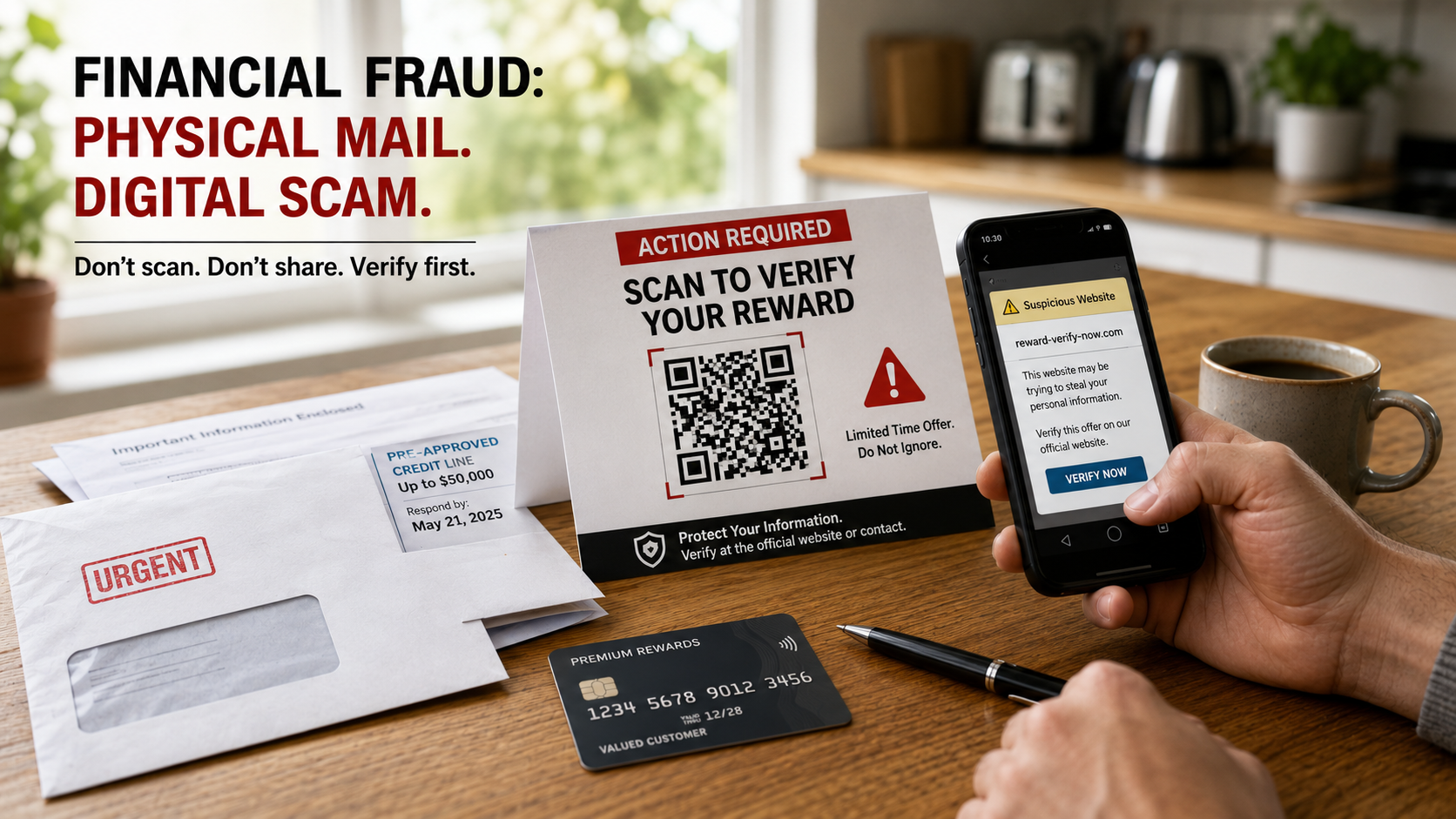
Physical mail is now part of the phishing stack. That weird package with no return address and a big friendly QR code is not a mystery gift. It may be bait with postage.
If you received an unsolicited package, letter, postcard, or “delivery notice” telling you to scan a QR code, do not scan it. The safest answer is boring and correct: treat the code like an unknown link from a stranger who spent money to get inside your house. The FBI warned in July 2025 that criminals were sending unsolicited packages with QR codes designed to push victims into handing over personal or financial information or downloading malicious software. The gimmick is simple. Curiosity opens the door. The QR code does the dirty work.
TL;DR
- An unsolicited QR code scam uses a physical mailer, mystery package, parking sticker, fake delivery notice, or payment prompt to push you toward a malicious website.
- The real danger is not the square barcode. The danger is the destination: fake forms, doctored payment pages, malware downloads, credential theft, and card-harvesting checkout traps.
- If you scanned one, do not enter information. Disconnect from the page, preserve evidence, check your browser downloads, monitor card activity, and contact your card issuer if you typed payment details.
- In the United States, report suspected fraud to the FBI’s Internet Crime Complaint Center and the FTC. Outside the U.S., use your national cybercrime or consumer protection reporting portal.
- Formjacking is different but related: criminals compromise a real checkout page with malicious script, so your card details can be stolen while the website still looks legitimate. Cute little nightmare, isn’t it?
What Is an Unsolicited QR Code Scam?
An unsolicited QR code scam is a fraud setup where criminals send or place a QR code in a context that makes you curious, rushed, or obedient enough to scan it. The code may appear on:
- A package you did not order.
- A letter with no sender information.
- A fake missed delivery notice.
- A postcard claiming you won something.
- A parking meter or payment kiosk sticker.
- A fake invoice, refund notice, or “account verification” letter.
- A package insert pretending to offer a warranty, review bonus, refund, or shipping correction.
The QR code usually opens a website. That website may ask for:
- Credit card details.
- Bank login credentials.
- Email passwords.
- Identity information.
- Shipping or billing address.
- One-time passcodes.
- App installation permissions.
- Remote access permissions.
The FBI’s July 31, 2025 public service announcement warned that criminals were sending unsolicited packages containing QR codes to initiate fraud schemes, including attempts to collect personal and financial information or trick victims into downloading malicious software. The FBI also described this as a variation of a brushing scam, where unsolicited packages are used to manipulate online reviews, except this version adds a QR code so the scam can graduate from “weird package” to “financial crime with stationery.”
That is the evolution nobody asked for.
Why Physical Mail QR Codes Work So Well
A QR code in your inbox looks suspicious. A QR code on a package in your hand feels physical, local, and oddly official. That is the trick.
Scammers are exploiting three things at once:
- CuriosityA package arrives with no sender. Your brain wants closure. The scammer knows this because criminals, unfortunately, also understand basic human behavior.
- Authority by packagingA printed label, tracking-style barcode, shipping envelope, or fake invoice can make the scam feel more legitimate than a random text message.
- QR code opacityYou cannot read a QR code with your eyes. You only see the destination after your phone processes it. That makes the code a black box with a marketing department.
The scammer does not need you to believe a wild story. The scammer only needs one small action: scan this.
That is how a piece of junk mail becomes a doorway into card theft, credential theft, malware, or a fake payment page.
How the Scam Usually Works
The physical-mail QR scam has a short playbook. Scammers love short playbooks because fraud is a volume business, not a poetry workshop.
Stage 1: The Bait Arrives
You receive a package or letter that feels incomplete. Maybe it has:
- No return address.
- A vague sender name.
- A fake delivery brand.
- A product you did not order.
- A “scan to confirm delivery” message.
- A “scan to identify sender” message.
- A “scan to claim refund” message.
- A “scan to avoid charge” threat.
The missing information is not an accident. It is the hook.
Stage 2: The QR Code Sends You to a Controlled Page
The QR code may open:
- A fake courier page.
- A fake retailer checkout.
- A fake customs fee page.
- A fake survey reward page.
- A fake refund form.
- A fake parking payment page.
- A fake account verification page.
- A page that asks you to download an app or profile.
The page may use logos, countdown timers, official-looking colors, or fake support language. Fraudsters love dressing garbage in uniforms.
Stage 3: The Page Collects Something Valuable
The site may ask for payment details “to release the package,” “verify identity,” “pay a small fee,” or “confirm your card.” That small fee is often the decoy. The real prize is the full card number, expiration date, CVV, billing address, phone number, and email.
If the page asks you to install an app, allow notifications, download a file, approve a profile, or enter a one-time passcode, the risk gets uglier. Now the scam may involve malware, account takeover, or credential theft.
Stage 4: The Fraud Moves Quietly
After the scan, criminals may:
- Test your card with a small charge.
- Use your card for online purchases.
- Sell the card details.
- Try credential stuffing against other accounts.
- Use your information for identity fraud.
- Send more scam attempts because you proved the bait worked.
The QR code was not the theft. The QR code was the doorbell.
Formjacking: The Checkout Version of the Same Theft
Formjacking is card theft through a compromised web form. Instead of sending you to an obviously fake checkout page, attackers inject malicious JavaScript into a real website’s payment flow. When you type your card details into the checkout form, the malicious script silently copies the information and sends it to the attacker.
That means formjacking can happen even when:
- The website looks normal.
- The checkout page loads correctly.
- The business is real.
- The order goes through.
- You receive a legitimate confirmation email.
This is why formjacking is such a nasty little sewer rat of a scam. The victim may do everything reasonable and still get skimmed because the merchant’s payment page, third-party script, plugin, tag manager, or checkout dependency was compromised.
The Payment Card Industry Security Standards Council has specifically addressed payment page security and e-skimming risks through guidance connected to PCI DSS requirements for managing scripts and detecting unauthorized changes on payment pages. In plain English: if a website takes card payments, the scripts running on that checkout page matter. A lot. Random JavaScript on payment pages is not “just analytics.” It can become a card skimmer wearing a name badge.
QR Code Scam vs. Formjacking: Same Card Theft, Different Door
| Risk | QR code mail scam | Formjacking |
|---|---|---|
| Entry point | Physical mailer, package, sticker, fake notice, parking meter code | Real e-commerce checkout page |
| Who controls the page? | Usually the scammer | The real merchant’s site may be compromised |
| Main trick | Curiosity, urgency, fake authority | Invisible script theft during checkout |
| What gets stolen | Card details, login credentials, personal data, device access | Card details and form data entered at checkout |
| Reader control | You can avoid scanning unknown codes | Harder to detect because the site may be legitimate |
| Best defense | Verify the destination before entering anything | Use credit cards, virtual cards, alerts, and avoid sketchy checkout behavior |
| Recovery path | Depends on whether you entered details, made a payment, or installed malware | Usually card replacement and dispute of unauthorized charges |
The important distinction is this: a QR code scam is usually a trap you are lured into. Formjacking is often a trap hidden inside a legitimate payment flow.
Both can steal your card. One knocks on your mailbox. The other hides in the checkout.
Visual Checklist: Before You Scan Any QR Code From Mail
Use this before scanning a QR code on a package, letter, invoice, flyer, delivery notice, or parking meter. If the mailer fails multiple checks, treat it like fraud until proven otherwise.
| Check | What to look for | Why it matters |
|---|---|---|
| Sender information | No return address, vague company name, mismatched branding | Missing sender details are a classic curiosity hook |
| Your order history | You did not order the item or service | Scammers use confusion to force action |
| Message pressure | “Scan now,” “avoid fee,” “confirm within 24 hours” | Urgency is fraud’s favorite cheap cologne |
| Payment request | Small fee, customs charge, redelivery fee, verification charge | Tiny payments can harvest full card details |
| QR placement | Sticker over another code, crooked label, extra code added later | Tampered codes can redirect payments |
| Domain preview | Shortened URL, misspelled brand, strange domain, random characters | Fake domains imitate real companies |
| Information requested | Card, bank login, password, SSN, one-time code | Legitimate package identification should not require your financial soul |
| App install prompt | APK, configuration profile, browser extension, unknown app | This can move the scam from phishing into malware territory |
If a QR code is attached to physical mail you were not expecting, the safest move is simple: do not scan it. Go directly to the company’s official website by typing the address yourself, using a verified app, or calling a known customer-service number from the company’s official site. Not from the suspicious mailer. Obviously. That mailer is already on probation.
How to Spot a Doctored Payment Link After Scanning
Sometimes people scan before thinking. That does not make them foolish. It makes them human. Fraudsters build traps for reflexes.
If your phone previews the destination or opens a browser, inspect the page before entering anything.
Red flags include:
- The domain does not match the real company.
- The URL uses a strange spelling, extra words, or a different top-level domain.
- The page asks for a card to “verify identity.”
- The site asks for a one-time passcode.
- The page claims a tiny fee is needed to release a package.
- The checkout page loads through a shortened link.
- The site asks you to disable security settings.
- The site asks you to install an app outside the official app store.
- The page shows broken grammar, weird branding, or low-quality logos.
- The payment form appears before you can verify what you are paying for.
A real courier, retailer, parking authority, or payment processor should be verifiable through its official app, official domain, or known customer-service channel. If the QR path is the only way to complete the action, that is not convenience. That is a funnel with teeth.
What To Do If You Scanned the QR Code But Entered Nothing
If you scanned the code but did not enter information, did not download anything, and did not grant permissions, your risk is usually lower. Do not panic. Panic is a scammer’s unpaid intern.
Do this:
- Close the page.Do not click around out of curiosity. Curiosity already got its meeting. Meeting over.
- Do not enter card details, passwords, or one-time codes.A QR code landing page has no right to interrogate your wallet.
- Take screenshots.Capture the package, label, QR code, URL preview, landing page, and any payment request.
- Clear the browser tab and check downloads.If a file downloaded automatically, do not open it.
- Check your phone for new apps, profiles, or permissions.On iPhone, look for unfamiliar configuration profiles or VPN settings. On Android, look for unknown apps, accessibility permissions, device admin permissions, or apps installed outside the Play Store.
- Run security updates.Update your operating system and browser. Updates will not magically undo every risk, but they close known holes scammers like to poke.
If nothing was entered and nothing was installed, your next job is monitoring, not spiraling.
What To Do If You Entered Card Details
If you typed your card number, expiration date, CVV, billing address, or payment login into a QR-linked page, act fast.
- Contact the card issuer immediately.Tell them you entered card details into a suspicious QR-linked site and want the card blocked or replaced.
- Dispute unauthorized charges.If charges appear, report them as unauthorized card transactions. Card dispute rules depend on country, card network, account type, timing, and facts.
- Turn on transaction alerts.Enable alerts for all card activity or low-dollar purchases. Criminals often test cards with small charges before going shopping like cockroaches with Apple Pay.
- Change passwords if you reused any information.If the page asked for an account login, change that password from a clean browser session and enable multi-factor authentication.
- Preserve evidence.Keep the mailer, packaging, tracking label, QR code, screenshots, URLs, timestamps, bank messages, and card issuer case number.
- Report the incident.In the U.S., report fraud to the FBI Internet Crime Complaint Center and the FTC at ReportFraud.ftc.gov. If the package involved mail abuse, consider reporting to the U.S. Postal Inspection Service.
Do not waste time arguing with the scam page, emailing the fake support address, or asking the criminal nicely to delete your data. That is like asking a raccoon to file tax paperwork.
What To Do If You Installed an App or Downloaded a File
If the QR code pushed you to install an app, download a file, approve a configuration profile, or grant unusual permissions, treat this as a device-security incident.
Take these steps:
- Disconnect from suspicious pages and close the browser.
- Delete any unknown app downloaded from the QR page.
- Remove unfamiliar browser extensions.
- Check installed profiles, VPNs, and device management settings.
- Revoke suspicious permissions such as accessibility access, notification access, screen recording, SMS access, contact access, or device administrator rights.
- Update the device operating system.
- Run a reputable mobile security scan if available for your device.
- Change important passwords from a different trusted device if you suspect malware.
- Watch for account alerts, password reset emails, and unauthorized logins.
If the device behaves strangely after the scan, such as pop-ups, unknown apps, overheating, battery drain, redirects, or account lockouts, consider getting professional device support from a reputable provider. Not a random “recovery expert” in your inbox. Those clowns arrive after fraud like flies at a picnic.
What If Your Card Was Stolen During a Real Checkout?
If you suspect formjacking, the response is slightly different because the merchant may be real and the compromise may be invisible.
Signs that point toward possible formjacking include:
- Unauthorized charges appear after you used a specific online store.
- The checkout page looked slightly different, laggy, or glitchy.
- The site asked for unusual extra fields.
- The payment form refreshed or redirected oddly.
- You receive the real order, but your card is later abused.
- Other customers report similar card fraud after using the same merchant.
Do this:
- Replace the card.If the full card details were captured, monitoring alone is weak sauce. Get a new card number.
- Dispute unauthorized charges.Tell the issuer which transactions you did not authorize.
- Notify the merchant.The merchant may not know the checkout page or third-party script is compromised. Keep the message factual: date of purchase, order number, payment method, and later unauthorized charges.
- Preserve the transaction trail.Save order confirmations, URLs, screenshots, emails, card alerts, and issuer messages.
- Use a different payment method next time.A credit card or virtual card number can limit exposure better than a debit card directly tied to cash. Rules and protections vary by country and issuer, so do not assume every card works the same.
Formjacking is not proof that you were careless. It may be evidence that someone else’s checkout page had a script-security problem. That distinction matters.
How Small E-Commerce Sites Can Become Card-Theft Crime Scenes
Small retailers often rely on third-party scripts for analytics, chat widgets, reviews, ads, checkout tools, tag managers, plugins, and payment integrations. Every script running near a payment form can become part of the risk surface.
PCI DSS 4.0 introduced stronger attention to script management and payment page change detection. The PCI Security Standards Council has published guidance on payment page security and preventing e-skimming connected to requirements 6.4.3 and 11.6.1. The practical idea is straightforward:
- Know which scripts run on payment pages.
- Authorize and justify those scripts.
- Verify script integrity where required.
- Detect unauthorized changes.
- Monitor payment page behavior.
- Reduce unnecessary third-party code near checkout.
That is not “compliance theater” when done properly. It is the difference between a checkout page and a card-harvesting piñata.
For consumers, the lesson is not that every small shop is dangerous. The lesson is that payment-card exposure is not only about whether you can recognize a fake site. Sometimes the website is real, the brand is real, and the injected code is the rat in the walls.
Safer Payment Habits for QR Codes and Online Checkouts
You cannot eliminate every risk, but you can stop making life easy for the parasites.
Use these habits:
- Type official URLs manually instead of following QR codes from unknown mail.
- Use the official app for delivery, parking, toll, bank, or retailer payments.
- Preview QR destinations before opening when your phone allows it.
- Avoid shortened links for payment pages.
- Use credit cards or virtual card numbers where available.
- Keep card alerts on.
- Avoid saving debit cards on small or unfamiliar sites.
- Never enter one-time codes into pages reached from suspicious QR codes.
- Do not install apps from QR-linked pages unless you can verify them through the official app store.
- Use separate passwords for shopping accounts.
- Check statements for small test charges.
The best fraud control is not paranoia. It is friction. Scammers hate friction because friction ruins volume.
Reporting Checklist
If you received a suspicious QR mailer or package, keep the physical evidence. Do not throw away the thing that proves the scam existed.
Collect:
- Photos of the package or letter.
- Photos of the QR code.
- Tracking numbers.
- Sender information or lack of it.
- URL preview or landing page screenshots.
- Any payment page screenshots.
- Dates and times.
- Card issuer alerts.
- Unauthorized transaction details.
- Emails or texts connected to the incident.
- Device downloads or app names, if any.
Where to report in the U.S.:
- FBI Internet Crime Complaint Center for cyber-enabled fraud.
- FTC ReportFraud for consumer fraud.
- U.S. Postal Inspection Service if the scheme used the mail.
- Your card issuer or bank for compromised payment details or unauthorized charges.
- The real company being impersonated, using contact details from its official website.
Outside the U.S., use your country’s cybercrime reporting center, consumer protection agency, postal inspection authority, or financial regulator. Do not assume U.S. reporting portals create local legal rights in another country. Jurisdiction matters. Annoying, but real.
Common Mistakes That Make the Damage Worse
Avoid these:
- Scanning again to “check if it was really suspicious.”
- Entering a one-time code after the page asks for it.
- Paying a tiny “verification” fee.
- Installing an app from outside the official app store.
- Calling a phone number printed on the suspicious mailer.
- Throwing away the package before documenting it.
- Waiting days to contact the card issuer after entering card details.
- Believing a fake recovery service can “trace” or “reverse” the theft for an upfront fee.
- Assuming no charge means no risk.
- Assuming a real checkout cannot be compromised.
Fraud recovery is evidence work. The earlier you preserve the trail, the stronger your position becomes.
FAQ
Is scanning a QR code enough to infect my phone?
Usually, scanning alone is not the same as handing over your device. The bigger risks come from opening malicious pages, downloading files, installing apps, granting permissions, entering passwords, typing card details, or approving one-time codes. Still, if the QR code came from an unsolicited package or unknown mailer, treat the destination as hostile.
Should I throw away an unsolicited package with a QR code?
Do not scan the code. Before disposing of the package, photograph the label, QR code, sender details, tracking number, and any message. If you report the incident, that evidence may matter. After documenting it, follow local disposal guidance and avoid giving the scammer another click.
Can my bank or card issuer refund charges from a QR code scam?
Possibly, but it depends on the transaction type, country, card network rules, issuer policy, timing, and evidence. Unauthorized card charges are handled differently from payments you knowingly submitted, even if you were manipulated. Report quickly, explain exactly what happened, and provide documentation. No honest investigator can guarantee the outcome.
Is a QR code on a parking meter always suspicious?
No. Many legitimate parking systems use QR codes. The danger is tampering. Watch for stickers placed over original signage, mismatched branding, strange domains, poor print quality, or payment pages that do not match the official parking authority. When in doubt, use the official parking app or type the official website manually.
What is formjacking in simple terms?
Formjacking is digital card skimming. Attackers inject malicious code into a checkout form so payment details are copied while the customer types them. The website may still look real because the theft happens inside the browser session, not necessarily on a fake page.
How do I know if a checkout page was formjacked?
You may not know immediately. Warning signs include unauthorized charges after using a specific site, unusual checkout behavior, strange redirects, extra fields, or reports from other customers. If your card is misused after checkout, replace the card, dispute unauthorized charges, and notify the merchant with evidence.
Are QR code scams only a U.S. problem?
No. QR code fraud is global because the mechanism is cheap and portable. The FBI and FTC are U.S. sources, but the same fraud logic applies elsewhere. Reporting routes, card protections, consumer rights, and reimbursement rules vary by country.
Related Dollar Vigil Guides
If you want to keep going after this article, these related Dollar Vigil guides fit the same reader flow:
- Fake QR Code Payment Scams at Restaurants and Parking Meters: How to Verify Before Paying — useful for readers who want to compare mail-based QR scams with public-payment QR tampering.
- Why Banks Reject Scam Refund Claims (And What Evidence Actually Changes Their Minds) — helpful if a reader entered card details, paid a scam fee, or needs to prepare a stronger dispute file.
- Can Banks Freeze Scam Funds Before Withdrawal? The 24-Hour Recovery Window Explained — a natural next step for readers who acted quickly and want to understand timing, evidence, and recovery limits.
Disclaimer
This article is for general educational information only and is not legal, financial, cybersecurity, or professional advice. Scam refund rules vary by country, payment method, card network, bank policy, evidence, timing, and case details. If you need advice about your specific situation, contact a qualified legal, financial, cybersecurity, or consumer-rights professional in your jurisdiction.
Cold Truth
A QR code is just a doorway. The scam is what waits on the other side: fake payment pages, malware prompts, credential traps, and checkout scripts quietly stealing card data while pretending everything is normal.
Do not reward mystery mail with your financial information. Do not trust a sticker more than your own suspicion. And do not let a criminal with a printer, postage, and one square barcode turn your credit card into their vending machine.